
Growing your shop: washing areas, racks, drying and Edit mode
The size of your shop decides how many carpets you can handle at once. Open the shop menu (B, or D-pad up on a controller) and buy new things from the Business tab.
Washing areas and racks
- Washing area: wash more carpets at the same time.
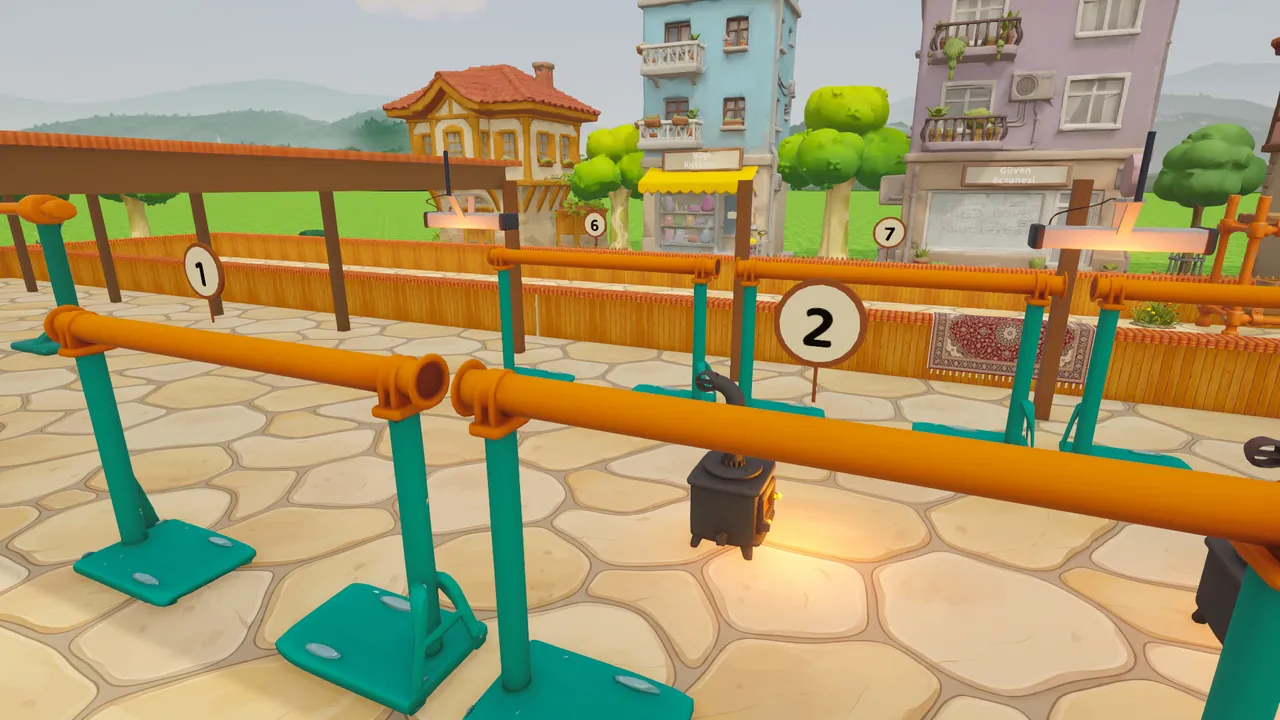
- Rack: space for beating and drying. Without enough racks dry carpets can't be cleared and the work jams.
- Pickup shelf: dry carpets wait for their owners on the shelf; each shelf holds 15 carpets. If the shelf is full, racks can't be emptied.
Renovation
Once your reputation is high enough you can expand the shop with a renovation. The yard grows: the west wing opens with a storage depot, long racks and a big washing area for giant carpets, and the carpet workshop becomes available (Carpet workshop).
Drying area, stoves and UFO heaters
Carpets left outside won't dry in the rain. The covered drying area puts the racks under a roof and comes with three stoves; you can buy extra stoves and a shed stove later. Stoves speed up drying in winter. Later you can fit UFO heaters to the drying area ceiling; their card shows the daily electricity cost and you can switch them off at any time.
Edit mode
With Edit in the Business tab you can move racks, washing areas and stoves anywhere in the yard. The front side (pickup shelf, till, cafeteria, changing room) stays fixed. On a controller the cursor snaps to the grid and moves cell by cell; A to pick up, X to rotate, A to place.
Last updated: 2026-11-18